
How to Search Civil Dockets
The free route into an eligible public Craven County civil docket is North Carolina eCourts Portal Smart Search. Type a party name or the complete file number. Set Location=Craven when a statewide result comes back too broad and needs trimming. What opens is the Case Summary. It is sometimes called the Register of Actions. Think of it as the running display of available court events. It is never a stand-in for the clerk's certified file.
Before reading events, confirm the parties, the status, and the Assignment Information block. Being a lawsuit does not put a civil matter in Superior Court by default. It may sit in District Court. It may sit before a magistrate, or inside the clerk's special-proceeding and estates record structure. For a current setting, run Search Hearings. Then compare what you get with the Craven Civil Calendar.
- Open Portal and select Smart Search.
- Search by party name or the complete Enterprise Justice file number, then use the Craven location filter if needed.
- Open the matching Case Summary and confirm Case Information, Assignment Information, and Party Information.
- Read Causes of Action, Case Events, Hearings, and Dispositions where those sections are available.
- Use the clerk for a filed order, certified judgment, copy request, or a date that remains unclear.
Craven Civil Docket Portal Terms
Portal's own training calls the public result a detailed, near-real-time Case Summary. It is also called the Register of Actions. Civil cases may add a Causes of Action section. That section sits on top of the core case, party, event, hearing, disposition, and financial blocks. Not every Craven County civil docket carries every block. Portal shows only the data available for that case type and access level. For filing, note that North Carolina eCourts File & Serve is a separate system. It is not part of the public reading channel.
- Causes of Action
- The claim categories Portal can display for applicable civil, family, probate, and mental-health matters.
- Case Event
- A dated docketable action, such as a filing, service return, motion, order, or scheduling change.
- Disposition
- An outcome or status entry. It is different from a pending notice of hearing or motion.
- Financial Information
- A Case Summary section that appears only when available. Its absence should not be over-read.
Read the Portal event text as written. Don't invent a local code meaning for it. A filed document can be public, restricted, or available only through the clerk file or a courthouse terminal.
What a Civil Docket Shows
A Craven County civil docket is a chronological record of a case. Start with the full file number and assignment. Next, confirm the parties and the claim context. Then read Case Events forward toward the newest hearing or disposition. Keep one caution in mind. An order appearing in the event history is evidence that an event was recorded. It is not automatically the full filed order. It is also not a certified copy.
| File Number | The four-part Enterprise Justice identifier uses a two-digit year, letter case type, six-digit sequence, and three-digit county identifier. |
|---|---|
| Parties | Party Information identifies people or entities and their recorded roles in the Craven civil docket. |
| Causes of Action | For applicable matters, Portal can display the civil claim category that supplies context for the event history. |
| Case Events | The chronological register records docketable filings, service, motions, orders, and changes. |
| Hearings and Dispositions | Available sections identify current settings and case outcome information. Confirm close dates with the court. |
Craven Civil Docket File Numbers
Copy the complete Enterprise Justice number exactly as it appears on a court paper. The statewide format has four parts. Those parts are a two-digit year, a case-type letter, a six-digit sequence, and a three-digit county identifier. The Judicial Branch example is 21CR000003-910. A civil file uses the same four-part format with its own case-type letters. Keep the dash and the final three digits when searching.
The full number earns its keep when parties share common names. It helps just as much when a result carries a similar caption. It also makes a clerk request clearer. Take the number from the most recent notice, order, or Portal result. Then confirm that Case Information and Assignment Information match the civil matter you are following.
Types of Civil Cases on the Docket
Craven's unified clerk system keeps civil records across several trial and clerk-assigned paths. Portal's Civil Actions filter can help orient a public result. So can the Causes of Action section. Even so, the official materials publish no fixed Craven-only list of every civil label. Court assignment plus the actual Case Summary remain reliable. Use them to identify where a case belongs.
- Major civil matters assigned to Superior Court.
- District Court civil matters assigned by statute.
- Small claims and summary ejectment matters assigned through the magistrate and District Court system.
- Estates, guardianship or incompetency matters, and other special proceedings within the clerk record structure.
- Publicly indexed judgments and dispositions that can be located through Portal's NC Judgment Search.
Craven Civil Docket Judgment Searches
NC Judgment Search fits a different job. It locates a judgment-index lead by party name or case number. It filters by case type, status, location, and judgment date. Results return index details. These include the case number, disposition status, index date and time, parties, and judgment comments. Coverage spans civil, family, small claims, special proceedings, criminal, and miscellaneous index entries.
Remember that a judgment-index result is not the complete Craven County civil docket. Move over to Smart Search for the fuller Case Summary. For the filed judgment or a certified version, use any public document link first. Then use the Craven County Clerk of Superior Court's file and copy route.
Craven Civil Docket Small Claims
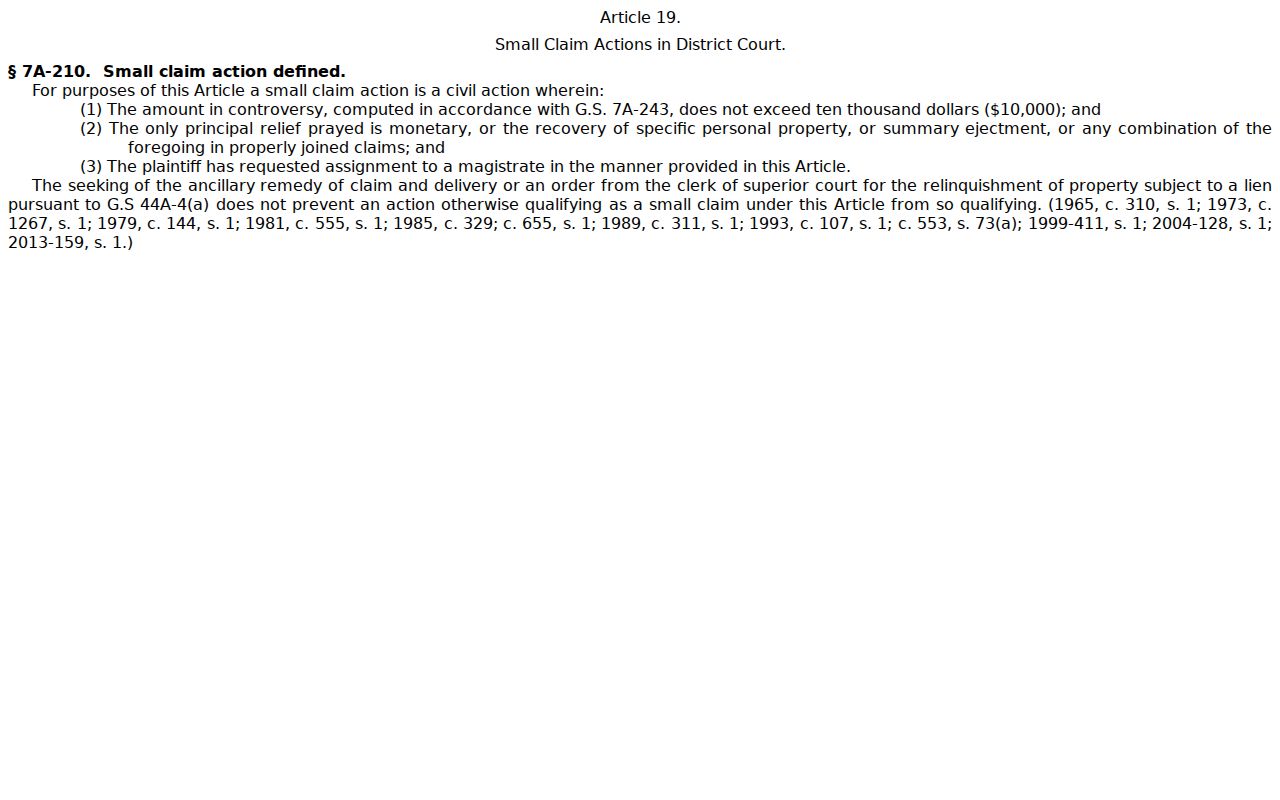
Magistrates in Craven County handle small claims inside the District Court. There is no separate portal to search. G.S. 7A-210 sets the outer limit at $10,000 for a money claim, a claim for specific personal property, a summary-ejectment action, or an allowed combination of those. The statute also lets a plaintiff ask that the case go before a magistrate. When you read a Craven County civil docket, note which court was assigned. That detail tells you the track the case took.
The official small-claims jurisdiction statute gives the full magistrate threshold in the state's own words.
For a small claim or summary ejectment, search Portal and review the assignment. If the online record leaves the route unclear, ask the clerk or magistrate channel where the public file sits. Don't chase an unlisted local database that the court does not offer.
Settings and Hearings on Civil Dockets
The Portal's Hearings section and Search Hearings are the right starting points for any setting on a Craven County civil docket. Search Hearings is flexible. It accepts a case number, a party or business name, an attorney, a bar number, a judicial officer, or even a courtroom, and it returns the current time and place for the matter. One gap exists. The result will not tell you whether the hearing is virtual or in person. Follow the court's own link for appearance details.
The published Civil Calendar is a different tool with a different job. It lists cases set for a court session. The Case Summary connects events and hearings to a single civil file. A continuance or reset is a schedule change only. It is never a ruling on the case. Compare the newest hearing entry and Case Event against the calendar. Then use the Craven County court calendar reference for the full calendar workflow.
Craven Civil Docket Calendar Check
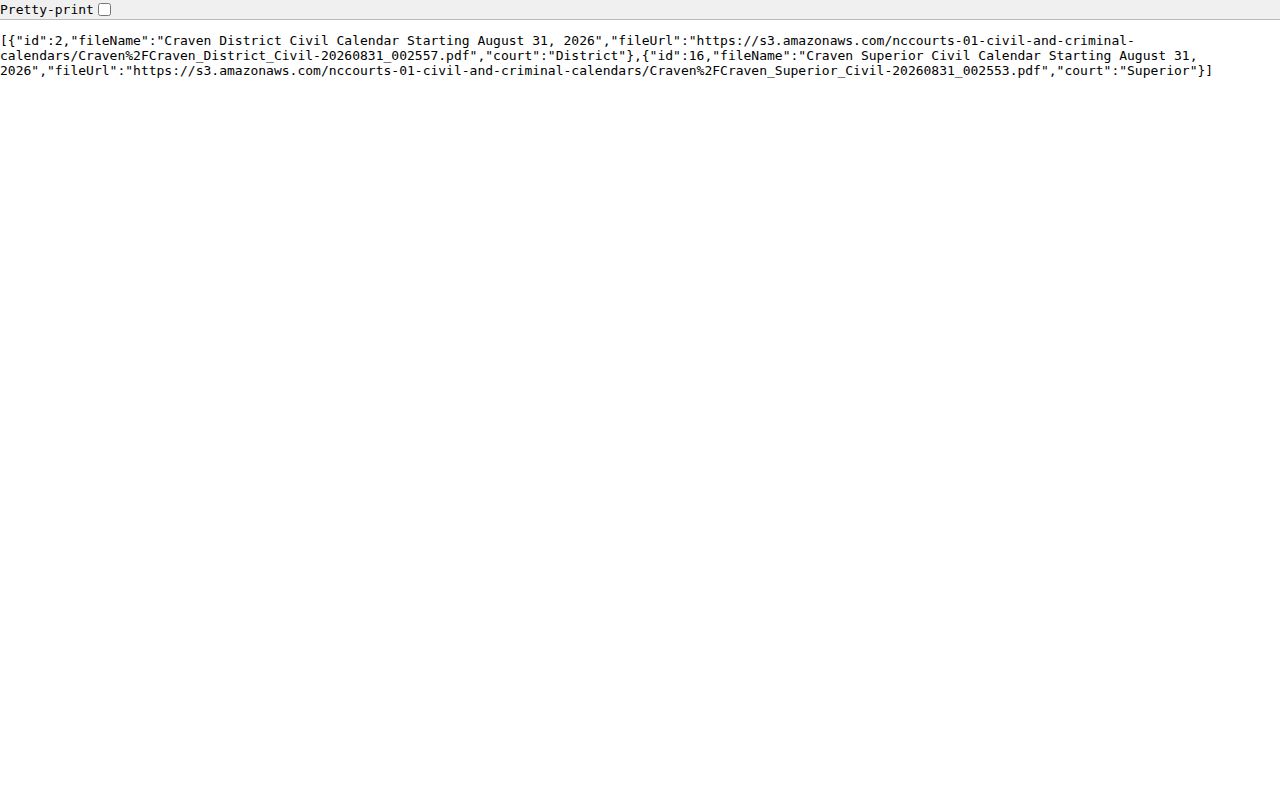
The state calendar tool needs only two choices here. Pick Craven for the county. Pick Civil for the calendar type at North Carolina Civil and Criminal Calendars. What comes back are dated PDF files. Each one is a published call list of civil settings rather than a running case history. For a single case, start with Portal. Then check the calendar. That confirms a reported hearing date for a Craven County civil docket.
The official Craven Civil calendar results are the county's own published route to those civil hearing lists.
When a setting is imminent, missing, or conflicts with another entry, call Civil Division at 252-639-3003. A direct answer from the clerk's office beats an older PDF or a stale notice. If the docket shows a newer hearing entry, that fresh listing is what counts.
Craven Civil Docket Clerk Routes
The Craven County Clerk of Superior Court is one unified office. Its public directory lists separate civil, estates, and special-proceeding contacts. That is routing help, not separate clerks or separate docket systems. Call Civil Division at 252-639-3003. Estates uses 252-639-3004. Special proceedings use 252-639-3005.
For a Craven civil file that is not online, visit the clerk at 302 Broad Street, New Bern. Ask for the public self-service terminal or the county file. A written request can also go to Clerk of Superior Court, PO Box 1187, New Bern, NC 28563. Include the file number, party identifiers, a document description, and whether you want a copy or a certification.
Public Access to Civil Dockets
Public access to Craven County civil docket information runs through Portal. It also runs through inspection at the clerk's office. G.S. 7A-109 opens the clerk's records, files, dockets, and indexes to inspection. A law, rule, or court order can restrict them. The North Carolina Public Records Law framework backs that access too. It allows permitted copy costs and redaction, and it sends court-related civil requests to the clerk rather than the county public-information office.
Key Rules:
G.S. 7A-109 assigns the clerk's record, docket, and index duty and generally permits public inspection unless access is prohibited.
G.S. 132-1 and G.S. 132-6.2 form the state public-record framework for inspection, copies, permitted costs, and redaction.
G.S. 7A-308 fee provisions set listed clerk fees for copies, seals, and exemplifications.
Craven Civil Docket Event Limits
The event history is useful, but know its limits. A motion or notice of hearing is not a final judgment. A Case Summary shows a Dispositions section or financial information only when that data is available. The official materials publish no Craven-specific list of shorthand disposition codes. Do not guess at an abbreviation. Rely on the actual event text, the status, and the clerk-held record.
Portal may release public documents one at a time. Registration does not unseal anything. Sealed or confidential cases, data, and documents stay protected. When a case file mixes public and protected material, the authorized custodian can provide the public portion with a lawful redaction.
Craven Civil Docket File Fallback
Suppose a Craven County civil docket shows an order or judgment event. The document will not open. First, try any public document link again. Large documents sometimes fail to load, and some material is restricted outright. Next, turn to the courthouse terminal or the clerk file in the county holding the case. Portal is a reading route for the public. The Craven clerk is the custodian. It can hand you a court-authenticated copy.
Some records are made or held by the North Carolina Administrative Office of the Courts. That statewide public-record process is separate and is not the first path for a Craven case file. Identify the Craven case first. Take the request to the county clerk by phone, in person, or through the clerk-directed mail route.